6.2.1 Program Flow (Programmablauf)

Ensure the machine is switched off and the power supply is disconnected.
Disconnect the read head from the machine's power supply.
Connect the read head to the computer as described in section 5.5.1.
Note: For read heads with Drive Cliq interface, additional programming equipment is required. See Chapter 7 for instructions.
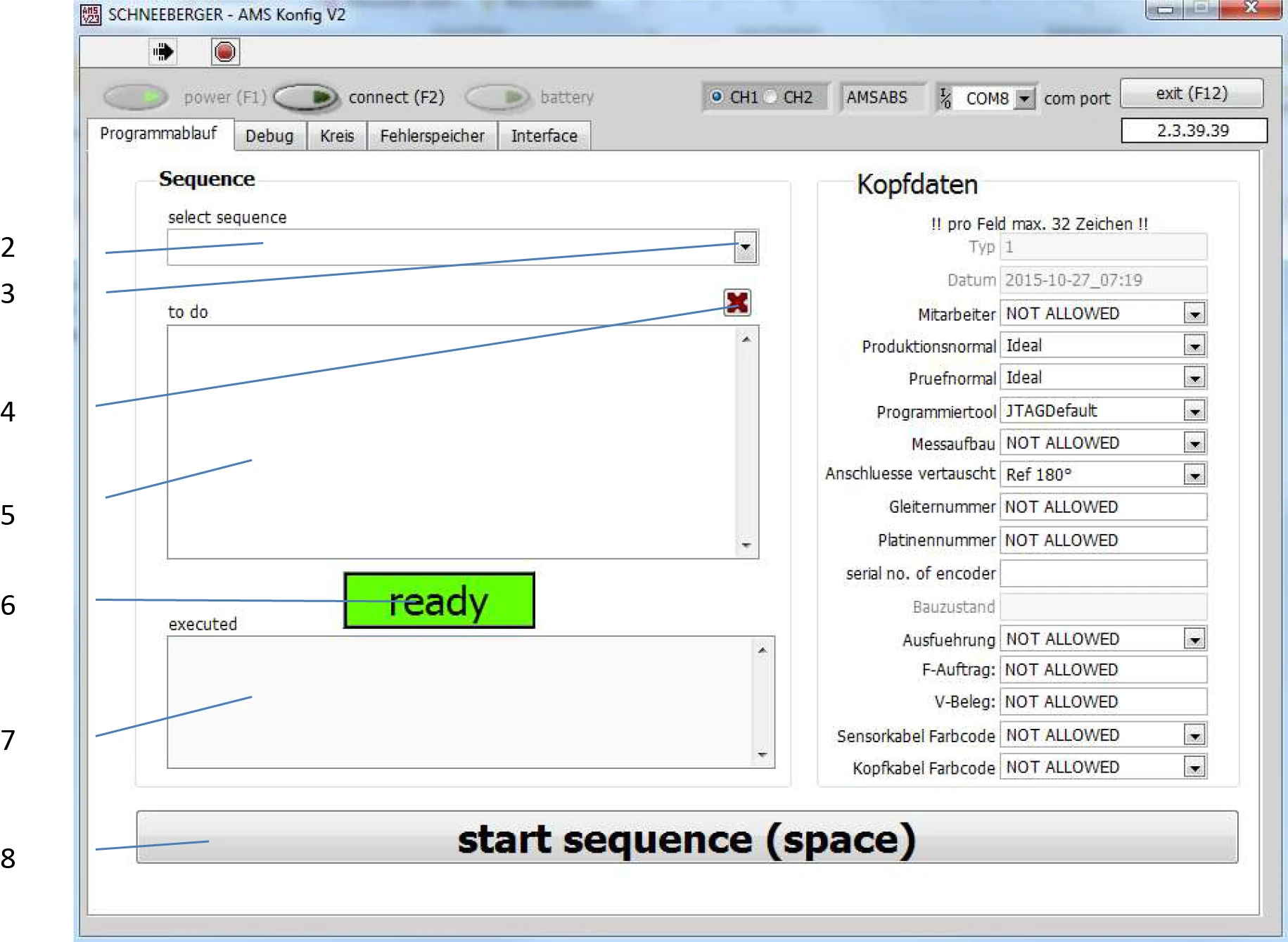
Operating Steps
-
Enter the 6-digit serial number of the read head in the Serial number of encoder field (1). The serial number can be found on the read head label.
-
Click the arrow key (3), and a selection list will appear in window (2).
-
Click the desired program update item.
If you have not entered a serial number or have not changed the serial number and start the program via button 8, a warning message will appear.
Note: Press Cancel to return to serial number entry.
Note: The Continue anyway button will start the program update even if you have not corrected the incorrect input! This may result in loss of read head data. Only press this button if you need to perform a second write to the same read head!
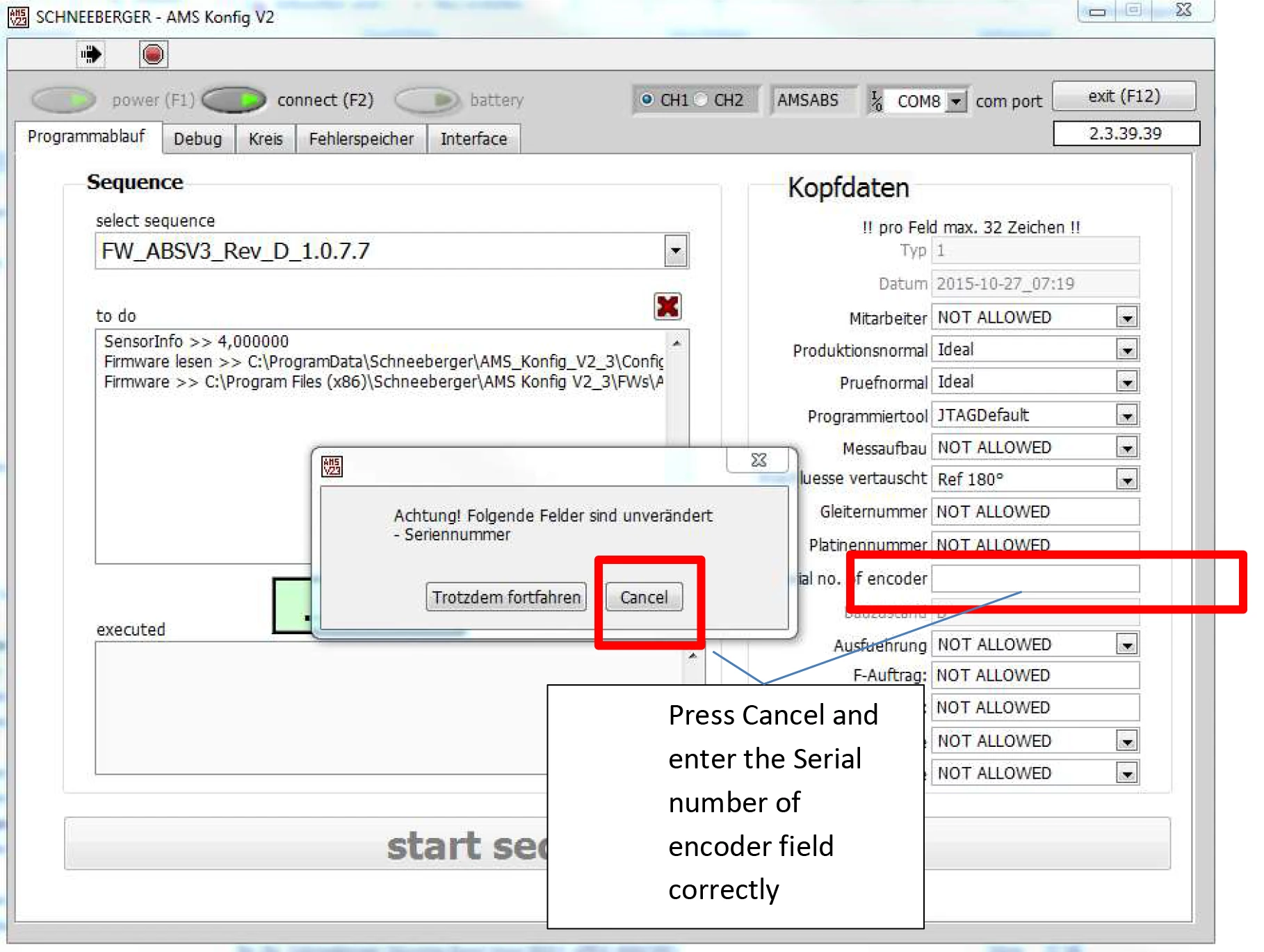
Press Cancel and correctly enter the Serial number of encoder field.
Confirm that the serial number (1) has been entered, select the program update (2) (program updates are available as required), then start the procedure (8).
Recommended Update Versions (from April 2021)
Absolute Read Head

Absolute Read Head Drive Cliq

These updates are available from Schneeberger AMS Konfig program version 2.3.92.90 or higher.
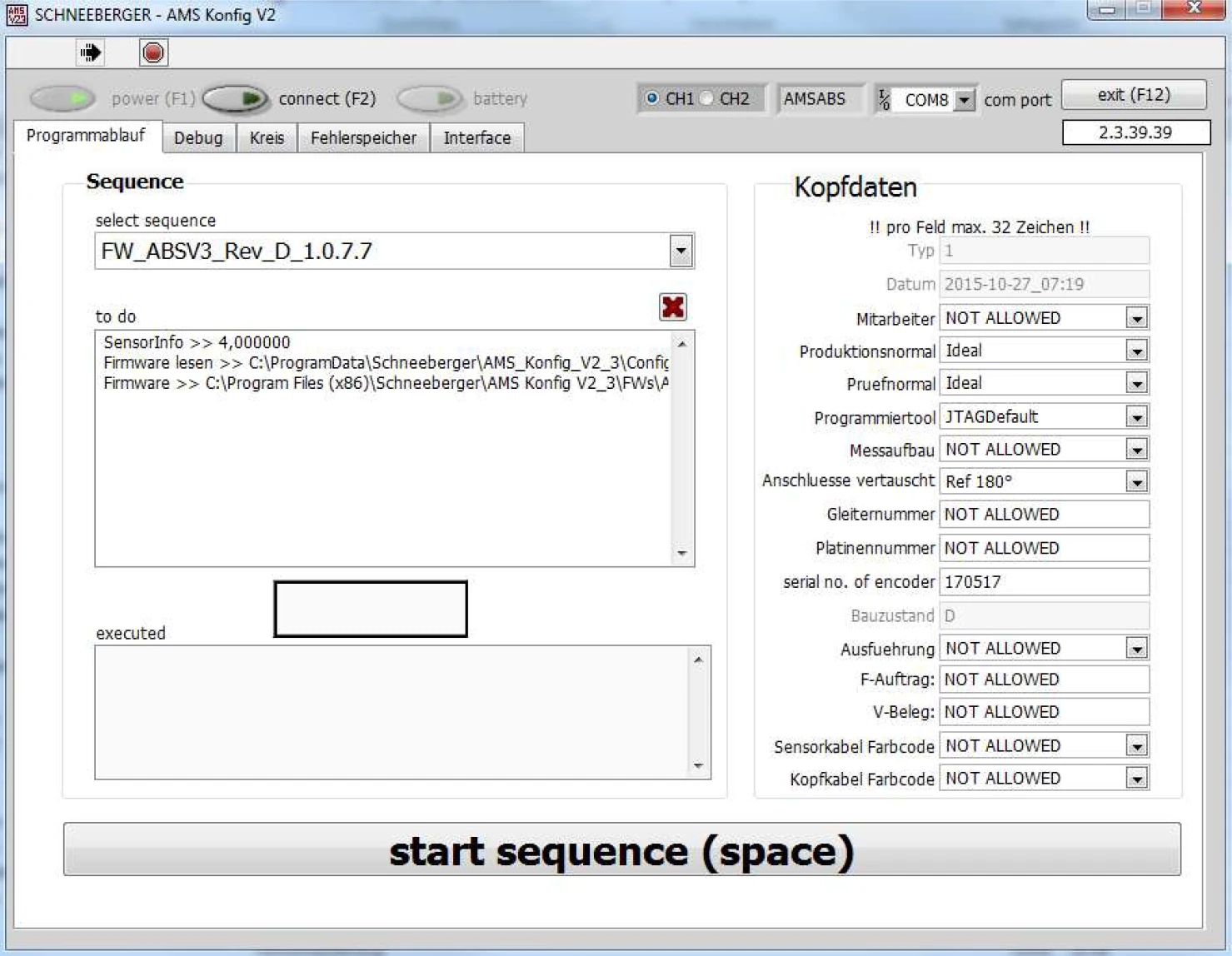
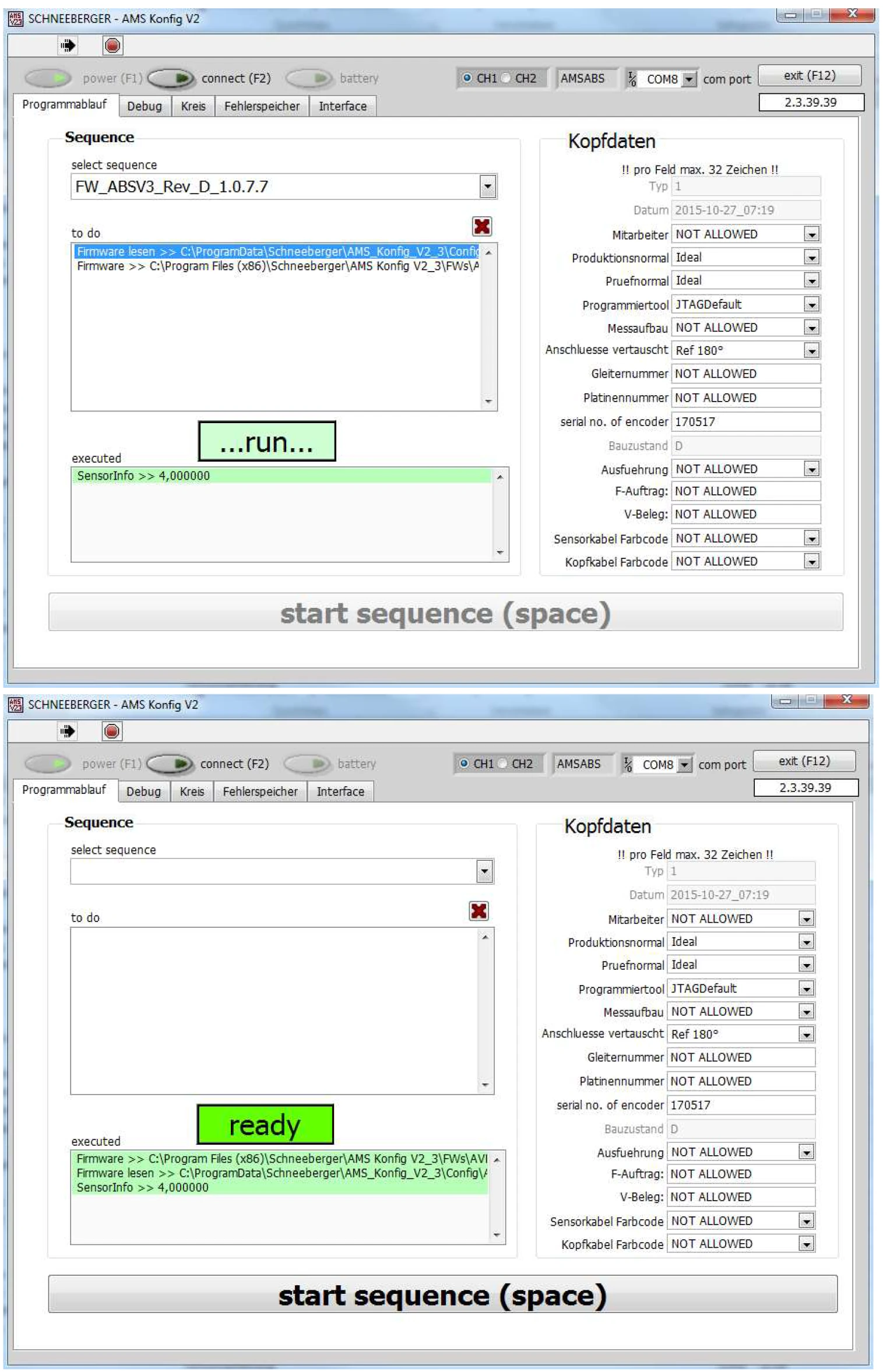
After starting, the screen will appear as shown below. The screen will change several times — please wait patiently until the completion message appears.
6.2.2 Interface and Error Memory
These registers can also be read with the machine switched off. Please refer to sections 6.1.1 and 6.1.2 for instructions.
6.2.3 Circle and Debug (Kreis and Debug)
If the axis can be moved manually, measurement data can be viewed online or recorded. Please refer to sections 6.1.3 and 6.1.4 for instructions.